How to install the Reservo app on your phone (Android & iPhone)
Reservo installs on your home screen in two taps — no app store needed. Here's a step-by-step guide for both Android and iPhone.
Reservo is an installable app: you can add it to your phone’s home screen and open it like any other app, without downloading it from any store. Once installed it loads faster, takes up the full screen, and is how you’ll receive notifications for your matches.
You only have to do it once. Here are the steps depending on your phone.
Android (Chrome)
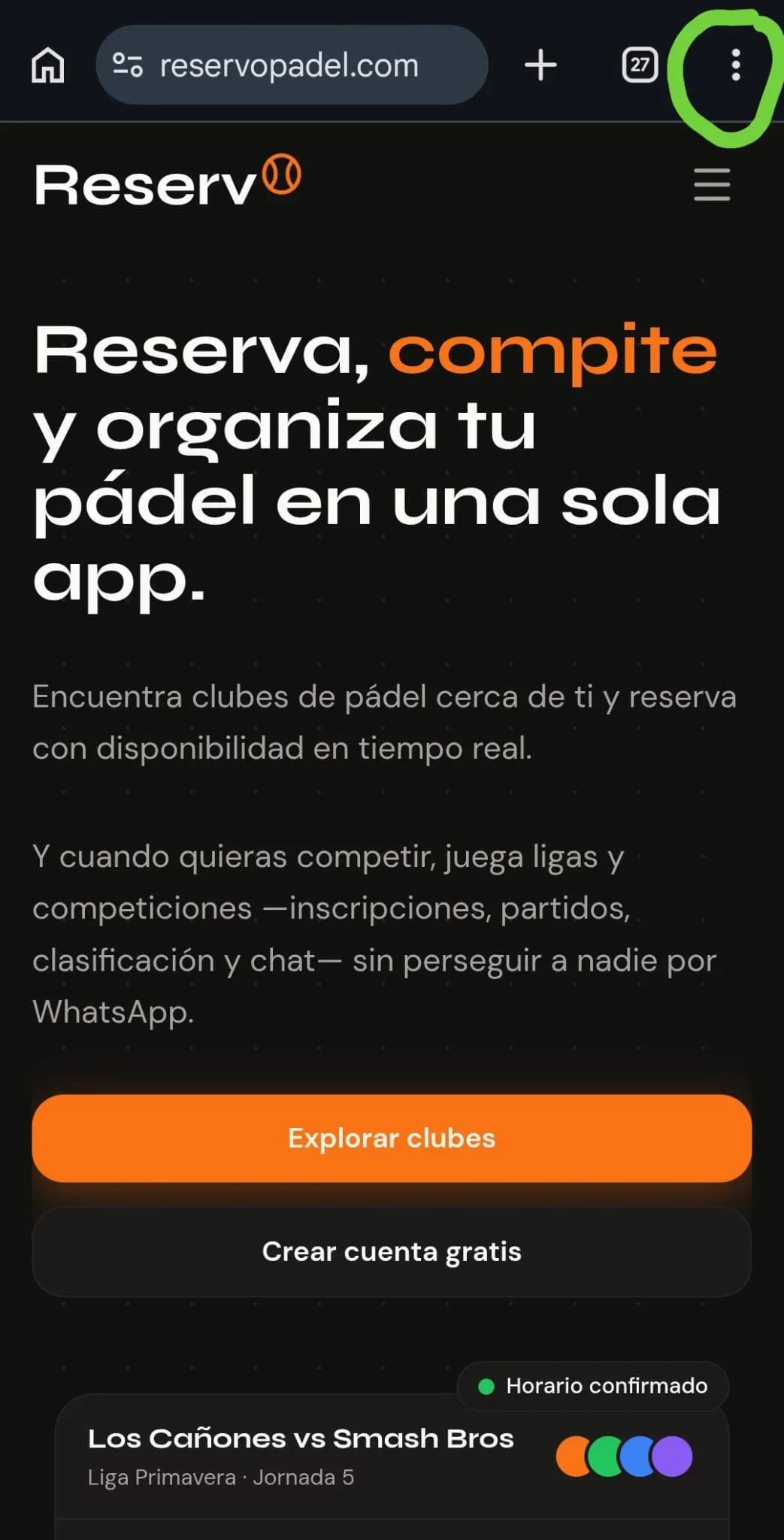
1. Open the browser menu. Go to reservopadel.com in Chrome, head to the log-in page, and once you are there tap the three-dot button (⋮) in the top-right corner.
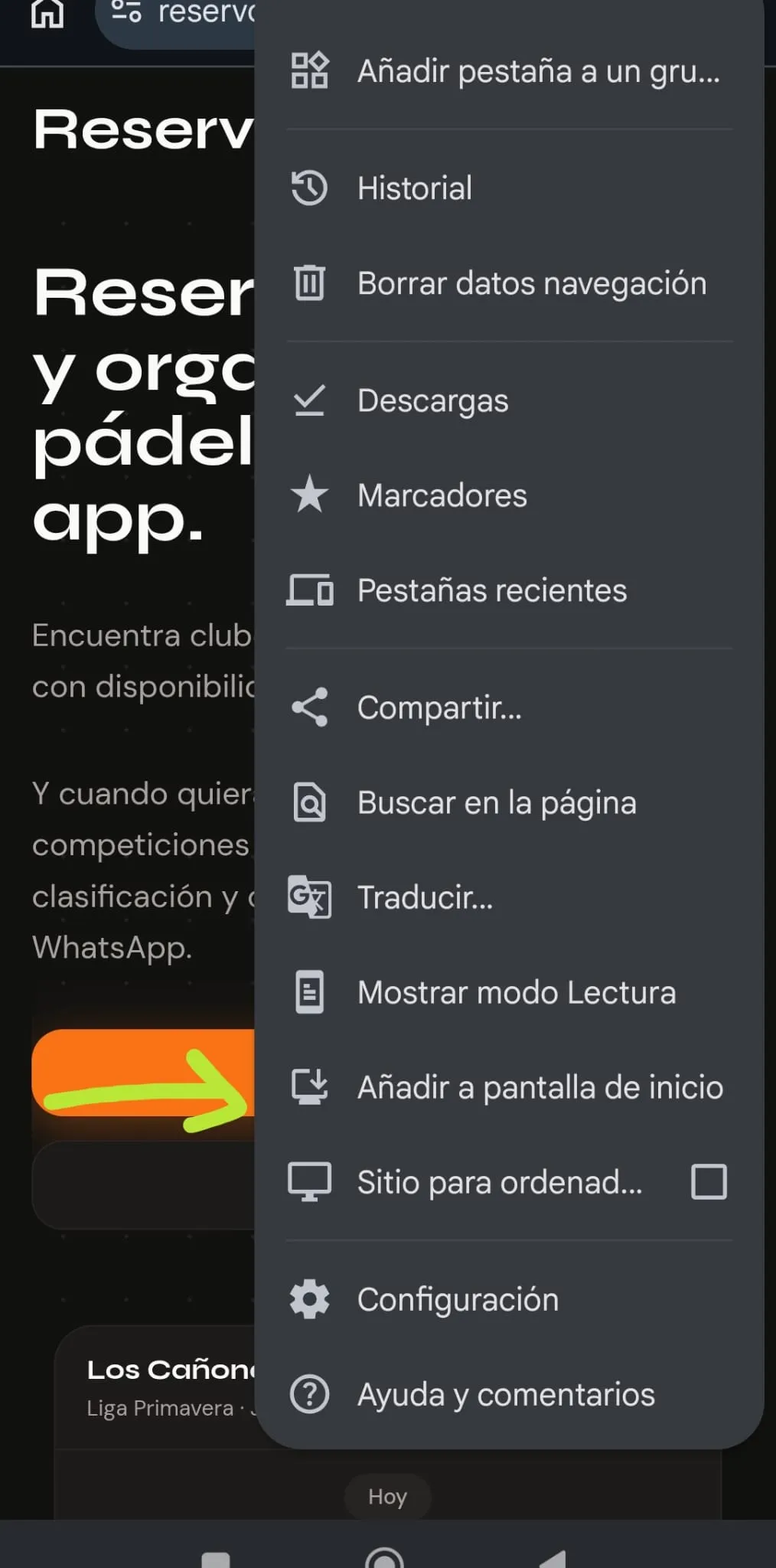
2. Tap “Add to Home Screen”. In the menu that opens, find and tap Add to Home Screen. Confirm and you’re done — the Reservo icon will appear on your home screen just like any other app.
From that moment on, open Reservo by tapping its icon. The first time you open it, it will ask for permission to send you notifications — accept it to get messages and match proposals without having to open the app manually.
iPhone (Safari)
On iPhone you can install it from any browser (Safari, Chrome, Edge…): since iOS 16.4 they all share the same engine under the hood, so the process is the same everywhere — Share → Add to Home Screen. We’re showing it here with Safari, the browser that comes preinstalled on iPhone, but if you use another one you’ll get the same result; only the button positions change.
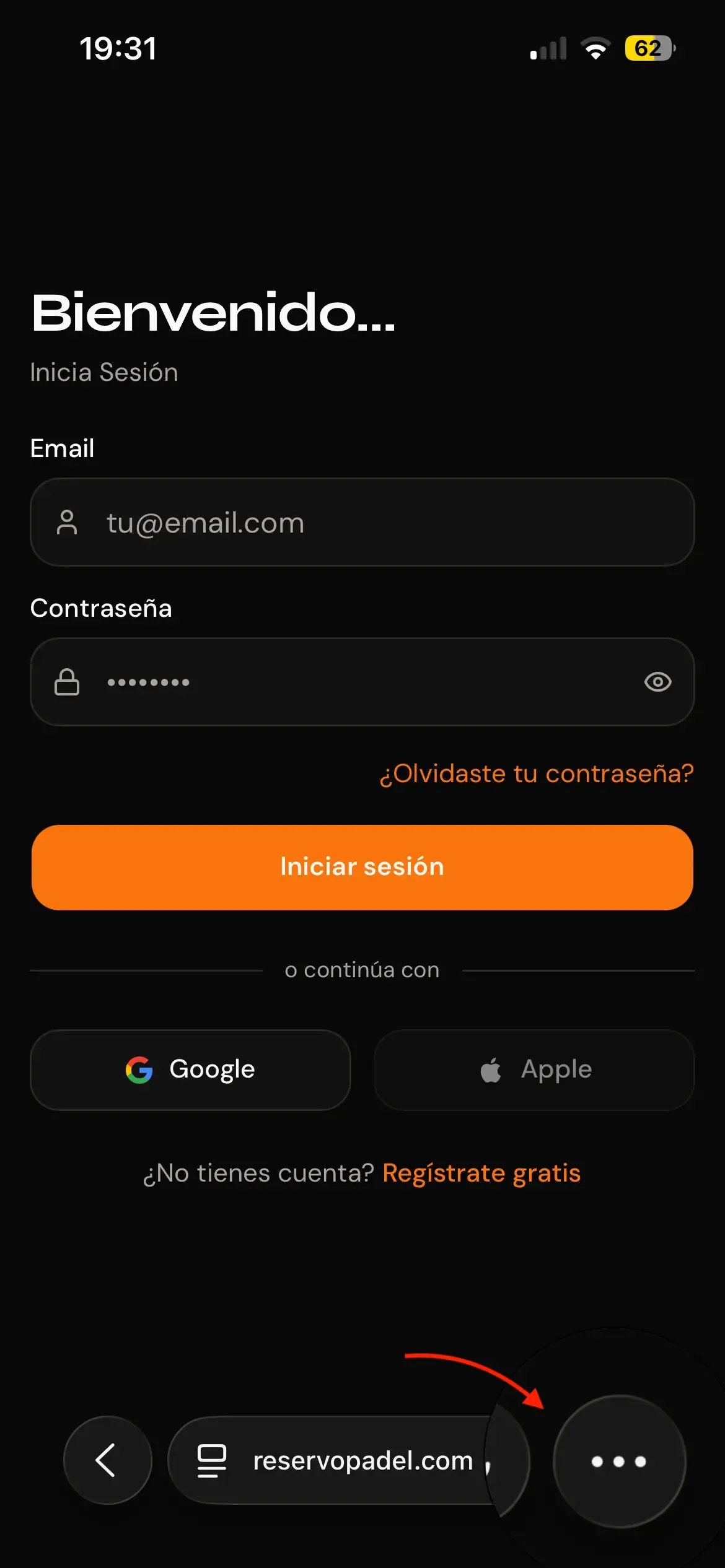
1. Open the browser menu. Go to reservopadel.com in Safari and tap the three-dot button (…) at the bottom of the screen.
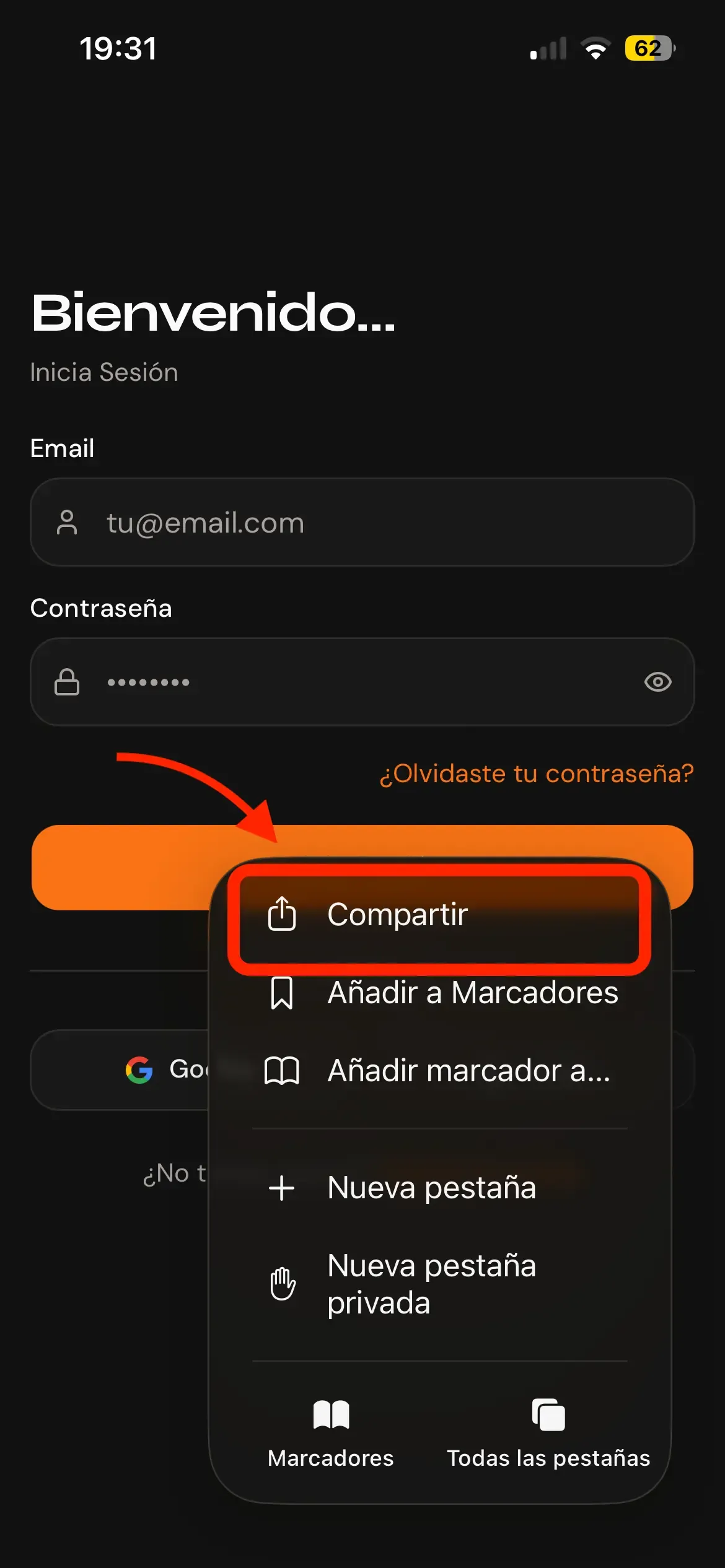
2. Tap “Share”. In the menu that opens, tap the Share button (the square with an arrow pointing up).
3. Tap “Add to Home Screen”. Scroll through the options and tap Add to Home Screen.
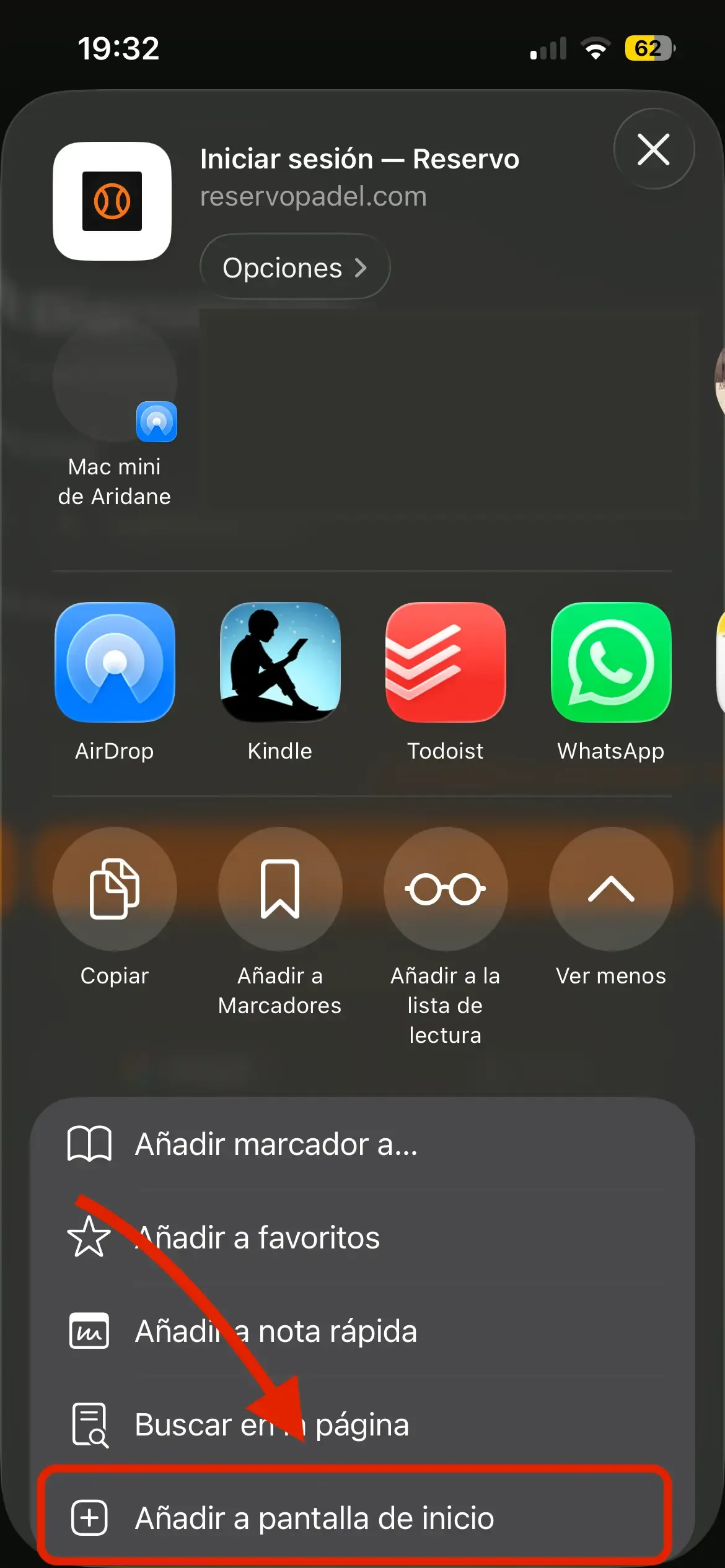
4. Confirm the installation. Review the app name and tap Add in the top-right corner.
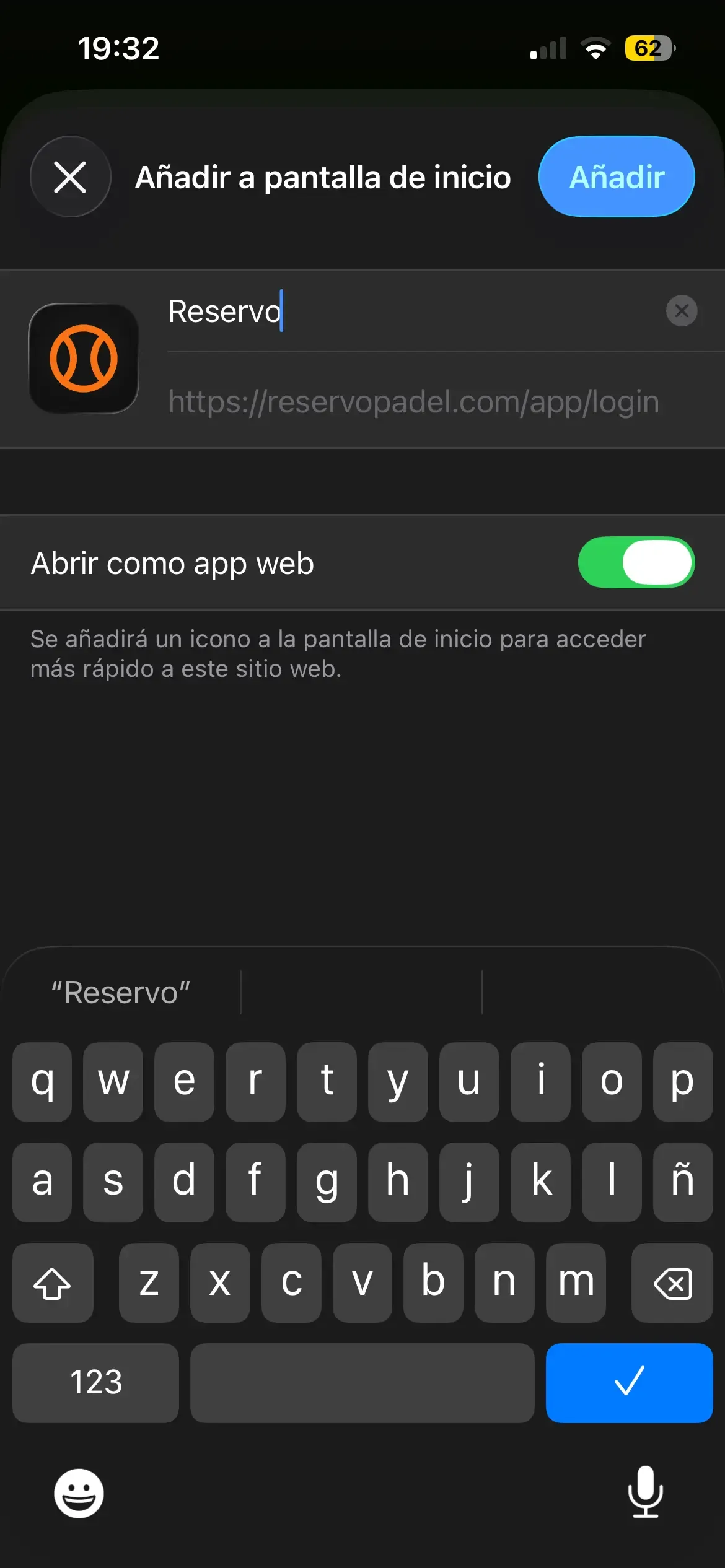
On iPhone, notifications only work with the app installed on the home screen (iOS 16.4 or later). That’s another good reason to install it.
That’s it?
Yes. Now you have Reservo one tap away, just like any app, and you’ll receive important alerts directly on your phone. If something isn’t working, write to us from your profile → Suggestions & Support and we’ll help you out.